
You arrive at a new office, plug your MacBook into the shared power strip, and nothing goes as planned: the power adapter is still packed away in the moving box, or worse, the charger you borrowed from a colleague makes the cable heat up without ever charging faster than a trickle. This scenario is common during a business move and raises a very practical question: which reliable USB-C charger should you set up permanently at your workstation?
USB Power Delivery protocol: what’s really negotiated between the charger and the MacBook
Plugging a USB-C cable into a MacBook doesn’t automatically trigger fast charging. The charger, cable, and computer negotiate electronically to agree on the voltage and current. The USB Power Delivery protocol manages this exchange.
Since April 28, 2026, European regulations have required laptops capable of charging at more than 15 W to support this protocol. A generic adapter that simply supplies power without PD negotiation will charge the MacBook at the minimum rate—sometimes barely enough to keep the battery level steady during a demanding video call.
When setting up your workstation after a move, check that the charger’s technical label explicitly says “USB PD” or “Power Delivery” rather than relying on the USB-C connector alone. Choosing a USB-C charger for a MacBook during a business move helps ensure that the power actually delivered meets the needs of a permanent workstation.
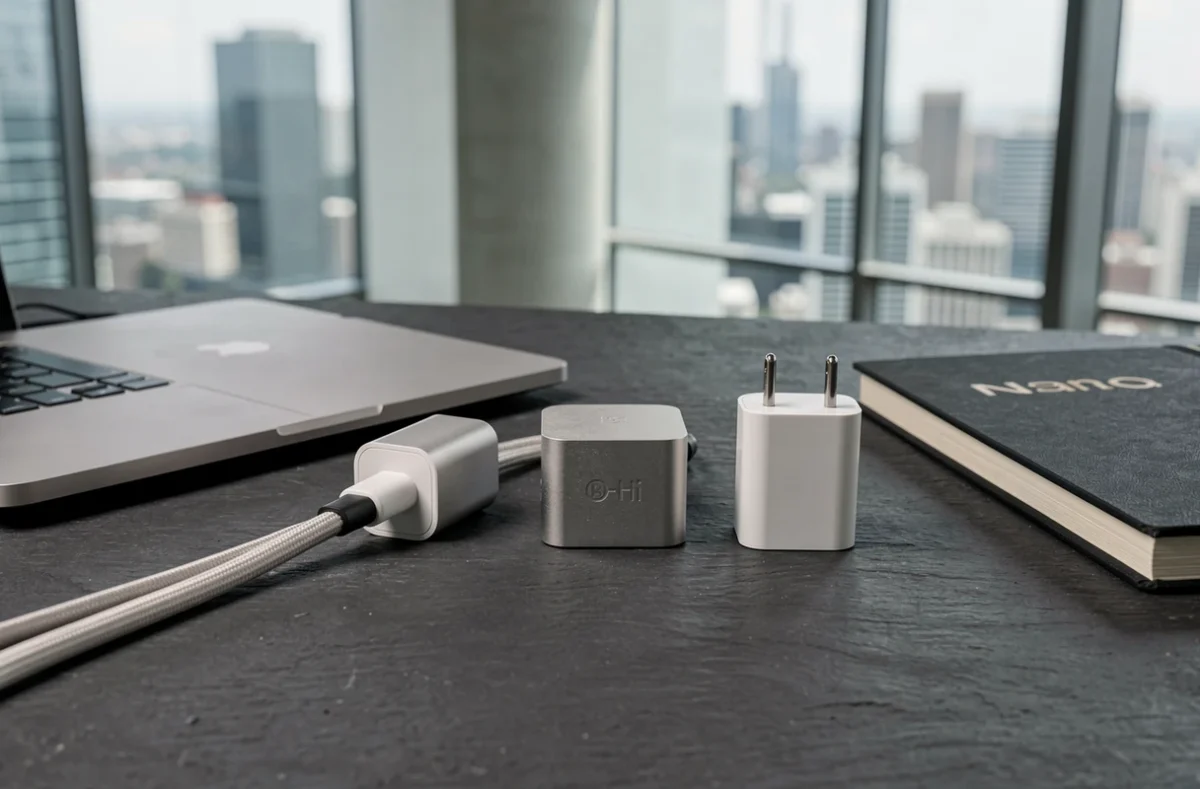
USB-C charger wattage for different MacBook models in the office
Not all MacBooks use the same amount of power. A MacBook Air with an M-series chip runs on a modest adapter, while a 16-inch MacBook Pro needs considerably more to perform at full capacity with an external display connected.
MacBook Air and MacBook Neo
These ultraportables work well with a lower-wattage charger. Apple recommends at least 20 W for the Neo and more for the Air. At the office, an adapter capable of delivering at least 35 W provides comfortable charging throughout the workday, even under sustained use.
14-inch and 16-inch MacBook Pro
Pro models benefit from much higher wattages. The 14-inch model works well with a charger rated at 70 W or more. The 16-inch model, meanwhile, makes full use of an adapter capable of delivering more than 100 W.
An underpowered charger won’t damage anything, but it will slow charging and may not keep up with power consumption during demanding tasks (compiling, video editing, or exporting large files). Since a MacBook stays plugged in for several hours at the office, it’s better to choose a slightly higher-wattage adapter than one that’s just powerful enough.
USB-C cable with an e-marker: the often-overlooked link in the office
You buy a powerful charger, plug it in with the first USB-C cable you find in a drawer, and charging speed hits a ceiling. The cable is the weak link in the chain, especially above 60 W.
To exceed 3 A (around 60 W at 20 V), the cable must contain an e-marker chip. This electronic identification chip tells the charger and MacBook the cable’s maximum capabilities. Without it, the system limits charging for safety.
For 16-inch MacBook Pros that use USB PD EPR mode (Extended Power Range, above 100 W), the requirements are even stricter: you need an EPR-certified cable, or the charger will fall back to standard power mode. Here’s what to check before setting up a cable at your desk:
- Look for “e-marked” or “e-marker” on the packaging or in the technical specifications; this is required for charging above 60 W
- USB-IF certification, which confirms that the cable has passed compliance and electrical safety tests
- Length: a two-meter desk cable gives you enough flexibility without compromising power negotiation

USB-C charger reliability and safety in a professional environment
A charger plugged into an office power strip for eight hours a day faces different demands from one taken out of a bag occasionally. Heat builds up, especially if the charger is wedged between a monitor and a wall.
Regulatory compliance alone doesn’t guarantee day-to-day reliability. A charger may carry the CE mark and still overheat in a confined space. In an open-plan office, where power strips are often overloaded, a charger with built-in protections (overvoltage, overcurrent, and overheating) helps reduce risks.
Multiport charger for your workstation
Instead of using multiple power adapters, a multiport charger can power your MacBook and one or two additional devices (phone, earbuds) from a single adapter. Here are a few practical points to consider for office use:
- Check that the stated total wattage matches the actual power distribution across the ports, because available power is split when multiple devices are connected at the same time
- Choose a compact but well-ventilated design that won’t overheat when tucked behind a monitor
- Pick a model with at least one USB-C port that delivers the power your MacBook needs, even when the other ports are in use
The power actually delivered to the MacBook varies depending on how many devices are connected and how the charger distributes power internally. This information is rarely shown on the packaging, but is often included in online technical specifications.
Setting up your MacBook USB-C charger for long-term use at a shared desk
During a business move, your workstation may not be permanent. With flexible working, shared desks, and rotating teams, the charger may change hands or outlets regularly.
Labeling your charger and cable helps prevent accidental swaps that could leave a MacBook Pro using a cable without an e-marker. A small piece of tape with your initials is all it takes.
In shared spaces, a compact adapter that doesn’t take up two outlets on the power strip makes it easier to share. Foldable chargers with retractable prongs take up less space and hold up better to repeated handling.
Choosing a USB-C charger for an office MacBook comes down to three checks: confirmed Power Delivery support, wattage suited to the exact model, and a cable with an e-marker chip. Everything else, from the form factor to the number of ports, depends on your workstation setup. A good charger, paired with the right cable, goes unnoticed for months—and that’s exactly what you want from office equipment.